Corrected Moon Orbits
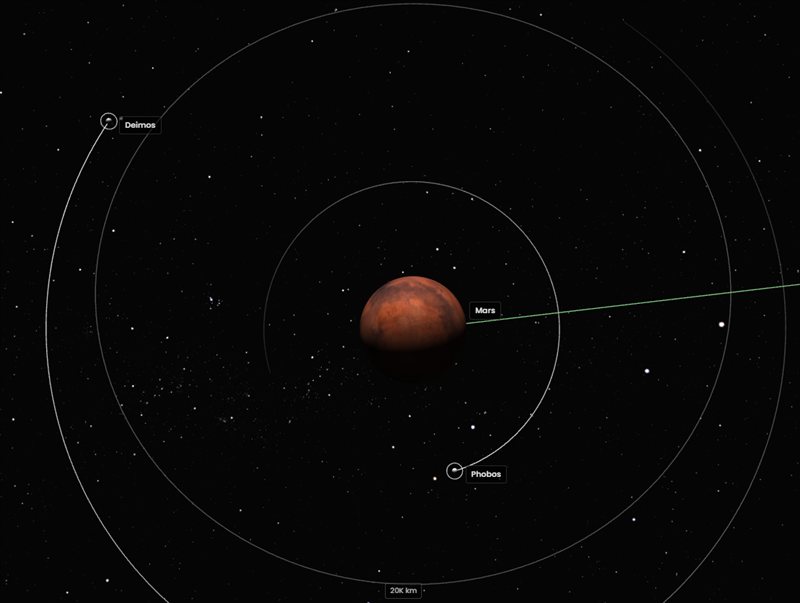
In previous versions, moons were calculated as if they orbited the Sun rather than their parent planet. Version 1.3.0 fixes this entirely — moons now orbit their parent planet at the correct distance and speed, from Earth’s Moon to the dozens of moons around Jupiter and Saturn.
Smart Trail Filtering
Zooming to an object previously left every visible trail on screen, creating visual clutter. Now, the view automatically shows only the trails relevant to what you’re looking at:
| When Tracking… | You’ll See |
|---|---|
| A planet | Its trail, its moons, all planets, and nearby objects within the Hill radius |
| A moon | The moon, its parent planet, and sibling moons |
| A comet or asteroid | Only that object’s trail |
| Free camera | All visible trails |
This happens automatically. When you return to free camera mode, all trails reappear.
Moon Sphere Rendering
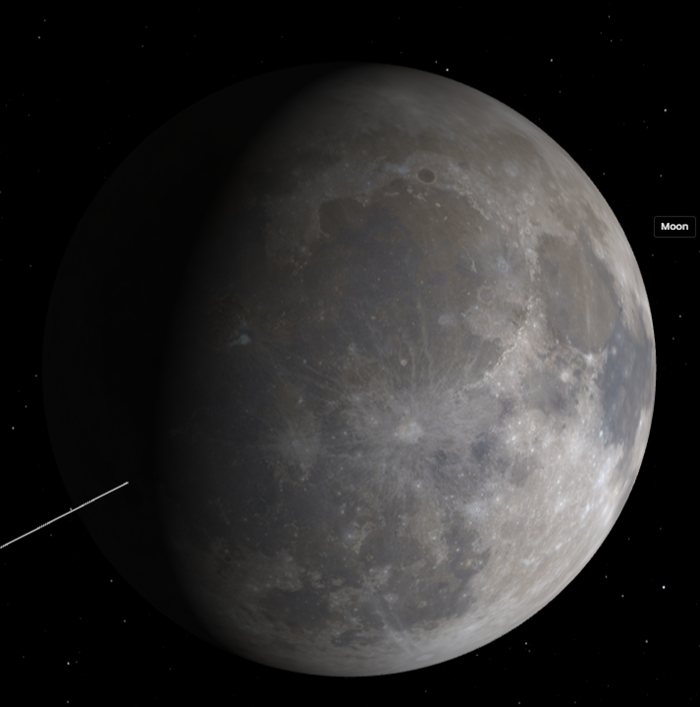
Moons are now rendered as 3D spheres instead of flat dots. Small moons remain visible at any zoom level, and high-resolution surface textures load automatically as you zoom in — just like they do for planets.
Redesigned Objects Panel
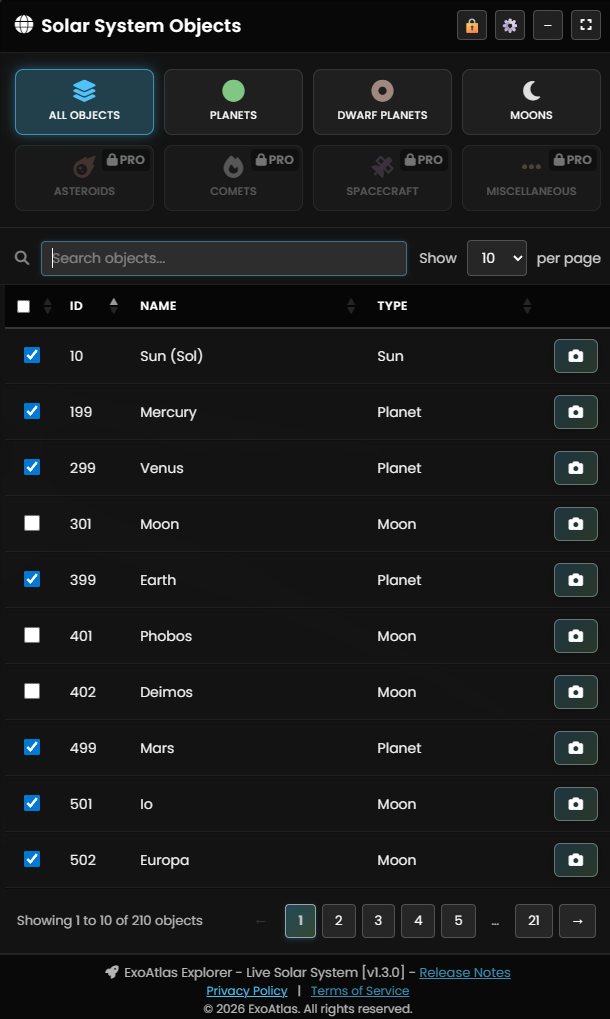
The Solar System Objects panel has been completely redesigned:
- Drag and resize — Move the panel anywhere in the viewport and resize it from the bottom-left corner.
- Fullscreen toggle — A new fullscreen button in the panel header expands the viewer to fill your screen.
- Keyboard shortcuts — Shortcuts have moved to a collapsible dropdown in the top-left corner.
- Improved readability — Larger fonts throughout the panel for titles, stats, filters, table data, and controls.
- Better search layout — The search input dynamically fills available space with the page-size control aligned to its right.
Redesigned Objects Table
The objects table has been reorganized for clarity:
- A new ID column shows each object’s unique identifier (NAIF ID for planets and moons, MPC number for asteroids).
- Columns are now ordered: Visibility, ID, Name, Type, and Zoom.
- The table sorts by ID by default, making it easy to find objects by catalog number.
- Visibility checkboxes stay in sync — when you zoom to a planet, its moons automatically appear checked.
Live Trail Updates
Orbit trails now update in real time as the simulation plays. Previously, trails were static snapshots that caused a visible gap at high time-warp speeds. Now trails stay perfectly attached to their objects at any speed.
Adaptive Moon Trail Lengths
Moon trail lengths now adapt to how crowded the system is:
- 1–2 moons (Earth, Mars) — 75% of the orbit
- 3–8 moons (Neptune, Uranus) — 50%
- 9+ moons (Jupiter, Saturn) — 25% to keep things readable
Planet-Centered Grid
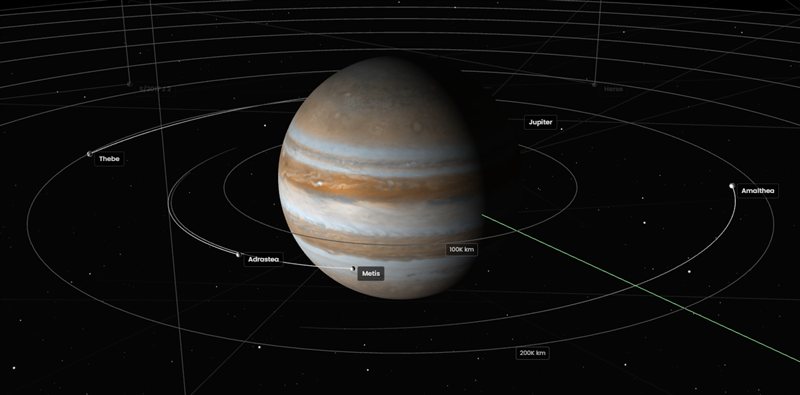
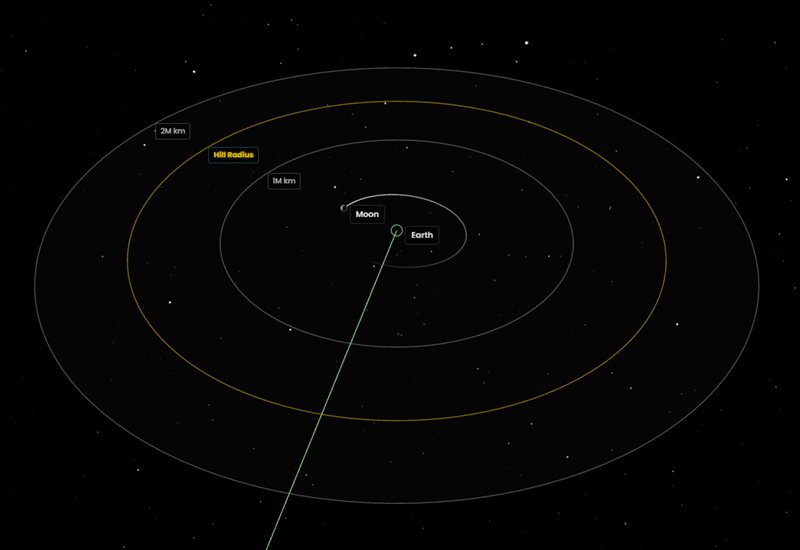
When you zoom to a planet with moons, the orbital grid re-centers on that planet and switches from AU to kilometers. Grid step sizes adapt to your zoom level, and the grid is clamped to 125% of the planet’s Hill radius so it never extends into meaningless space.
Hill Radius Visualization
Each planet’s Hill radius — the gravitational boundary within which moons can maintain stable orbits — is now shown as a yellow ring on the orbital grid, computed from real GM values:
rHill = a × (GMplanet / 3 GMSun)1/3
Hover over the Hill Radius label for a tooltip. You can toggle the Hill radius on or off in Display Settings.
Label Occlusion
Labels now hide behind planets. When a moon or grid label passes behind a large body from your perspective, it disappears instead of rendering on top. This applies to object names, grid distances, and the Hill radius label.
Distance-Based Relevance Fading
Objects now smoothly fade based on their relevance to what you’re looking at. Nearby moons stay fully bright while distant ones gradually fade. Other planets remain visible as faint landmarks. Trails, rings, and labels all follow the same fade for a consistent look.
Bug Fixes & Improvements
- Labels on by default — Object labels are now visible from the start.
- Better label placement — Labels sit at the correct distance on all screens, including high-DPI displays.
- Zoom clamping — The camera stops at a minimum distance based on each object’s physical radius.
- Accurate hover detection — Fixed hover offset on high-resolution displays.
- Proportional selection rings — Rings now scale to each object’s size.
- Improved moon projections — Drop-lines and shadows anchor to the parent planet’s orbital plane.
- Fixed object mirroring — Corrected a rendering issue where some objects appeared mirrored.
- Category filter fixes — Filter buttons now correctly filter the table without affecting the 3D scene.
- Faster trail rendering — Trails render more efficiently with adaptive detail levels.
- Reduced memory usage — All objects now share a single 3D mesh.
Related Updates
- ExoAtlas Explorer 1.2.0 — Asteroid Integration
- ExoAtlas Explorer 1.1.0 — Comet Integration
- ExoAtlas Explorer 1.0.0 Launch
- Launch ExoAtlas Explorer
ExoAtlas Explorer is free for all users. Launch the Explorer and explore the solar system. Clear skies!